
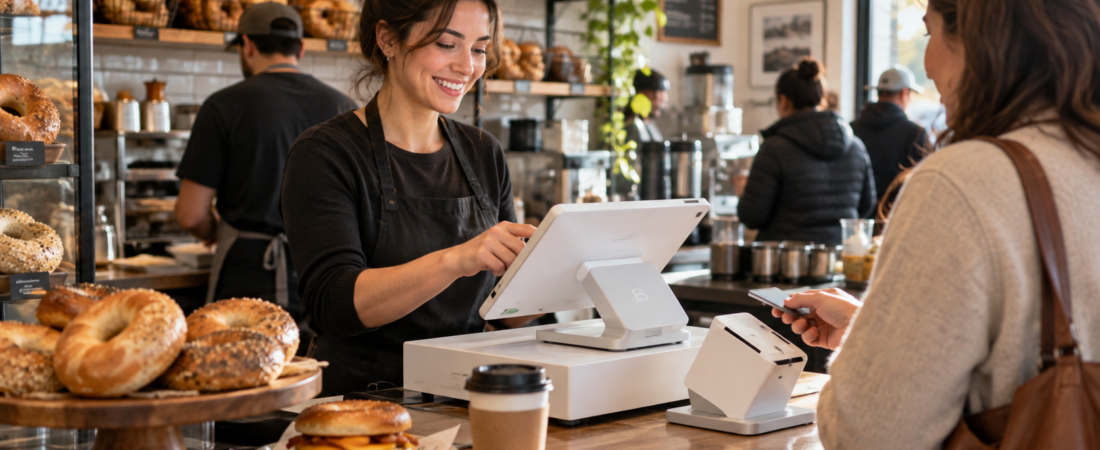
If you’re opening a bagel shop, the POS system is one of those decisions that’s easy to underestimate.
At first, it seems simple. You need something that takes orders and accepts credit cards. But once you picture an actual Saturday morning rush, it gets more complicated.
You’ve got customers ordering sandwiches at the counter, online orders coming in, drinks being made, employees calling out names, and a kitchen trying to keep everything straight.
That’s why Clover is worth a serious look for a bagel shop.
It’s not the cheapest or simplest POS on the market, but for the right type of shop it offers a nice middle ground between a basic payment system and a much larger restaurant-management platform.
Clover Handles Complicated Bagel Orders Well
One of the biggest things I like about Clover for a bagel shop is how it handles modifiers.
Bagel orders can get surprisingly complicated.
Everything bagel, toasted, with bacon, egg and cheese, cheddar instead of American, plus avocado.
With Clover, you can build those choices directly into the menu instead of relying on employees to type notes for every order.
You could set up options for:
- Bagel type
- Toasted or not toasted
- Cream cheese or spread
- Meat
- Cheese
- Extra toppings
- Add-ons like avocado or an extra egg
That might not sound like a huge deal, but when you have a line out the door, shaving a few seconds off each order matters. It also helps reduce mistakes between the register and the person making the sandwich.
See Clover in Action
If you’ve never used Clover before, this walkthrough gives you a pretty good idea of what the system actually looks like behind the counter. It’s set up for a quick-service restaurant, which is very similar to the way most bagel shops operate.
The video covers the Clover Station Duo, employees, inventory, menu modifiers, ordering, reporting, customer engagement, and the Clover App Market. I’ve started it at the section covering inventory, modifiers, and basic ordering, since that’s probably the most relevant part for a bagel shop.
The modifier and ordering demonstration begins around the 11:42 mark.
The Station Duo Makes Sense for a Busy Counter
For a typical brick-and-mortar bagel shop, I’d probably start by looking at the Clover Station Duo.
It gives the cashier a large touchscreen while the customer has a separate screen facing them for payment, tips, and receipts.
That setup makes a lot of sense for a quick-service restaurant because the employee can keep moving through the order while the customer handles payment on the other side.
If the shop grows, you can also add smaller Clover Mini terminals or Clover Flex handheld devices instead of replacing the entire system.
I’d Strongly Consider the Kitchen Display
If you’re doing a decent amount of breakfast sandwiches, I’d also seriously consider adding Clover’s Kitchen Display System.
Instead of relying entirely on printed tickets, orders can show up on a screen in the kitchen.
The sandwich line sees exactly what was entered at the register.
This becomes even more useful once online orders start coming in. Ideally, you don’t want your kitchen staff watching one screen for online orders, another system for counter orders, and a printer somewhere in between.
Keeping everything together is where a system like Clover starts to earn its keep.
Online Ordering Is a Big Plus for Bagel Shops
Bagel shops are almost perfect for online ordering.
A lot of customers are stopping in before work, school, or an appointment. If they can place an order from their phone and have it waiting when they arrive, there’s a good chance they’ll use it.
Clover supports online ordering and scheduled pickup, which can also be useful for larger orders.
Those are exactly the types of orders you want flowing directly into the same system you’re already using at the counter.
Loyalty Programs Can Actually Matter Here
I’m not convinced every restaurant needs a fancy loyalty program.
A bagel shop is different.
You may have customers who come in three, four, or even five times a week. That’s the type of business where rewards can actually influence customer behavior.
Or you could send out an offer to customers who haven’t been in for a few weeks.
Clover has loyalty and customer-engagement tools available with some of its restaurant packages, so you don’t necessarily have to piece together another system.
What Does Clover Cost for a New Bagel Shop?
This is probably the part most new owners care about.
For a basic but professional one-register setup, I’d budget roughly:
Around $1,900 upfront
Around $800 to $900 upfront
Roughly $115 per month combined, depending on the package
$2,700–$2,800 upfront
+ about $115 per month
That doesn’t include credit-card processing fees, extra registers, handheld devices, kiosks, or paid third-party apps.
Clover also offers financing in some cases, so you may be able to spread the equipment cost out instead of paying for everything on day one.
As with most POS companies, pricing and promotions change, so I’d treat these numbers as a ballpark rather than a quote.
Don’t Just Look at the Hardware Price
One thing I’d be careful about with Clover is who you’re buying it from.
Clover systems are sold directly, but they’re also sold through banks and independent payment processors.
That can be a good thing because it gives you options. It can also make pricing a little confusing.
- What is the credit-card processing rate?
- Is there a long-term contract?
- Is there an early termination fee?
- Do I own the equipment?
- Can I keep using the equipment if I change processors?
Don’t get too excited about a “free” terminal until you understand what you’re committing to on the processing side.
A slightly higher upfront cost can be a much better deal than saving $1,000 on hardware and overpaying on every credit-card transaction for the next three years.
What Kind of Bagel Shop Is Clover Best For?
I think Clover is best suited for a traditional independent bagel shop with a real counter-service operation.
It’s especially appealing if you expect to have:
- A busy morning rush
- Breakfast and lunch sandwiches
- Lots of custom orders
- Online pickup
- Several employees working at once
- A kitchen that needs orders sent directly from the register
- Regular customers who could benefit from a loyalty program
If you’re selling bagels at a farmers market or running a tiny counter with a very simple menu, Clover may be more than you need.
On the other end of the spectrum, if you’re trying to build a large multi-location operation with a central commissary, advanced recipe costing, purchasing controls, and detailed ingredient inventory, I’d compare Clover with some of the more restaurant-specific systems before making a decision.
My Take
For the average independent bagel shop, I think Clover deserves to be near the top of the list.
It gives you enough restaurant functionality to handle a serious breakfast rush without feeling like you’re buying software designed for a 50-location chain.
The biggest selling point is really how the pieces work together.
The customer orders a customized sandwich. The cashier enters it. The kitchen sees it. The customer pays on their own screen. An online pickup order can come into the same workflow. And the owner can see what the shop is selling without piecing together information from several different systems.
That’s ultimately what you want from a POS.
When you’re comparing systems, don’t just ask which one has the lowest monthly fee.
Ask which one you’d want running the shop when there are 15 people standing in line at 8:00 on a Saturday morning.